

1
Complete your onboarding
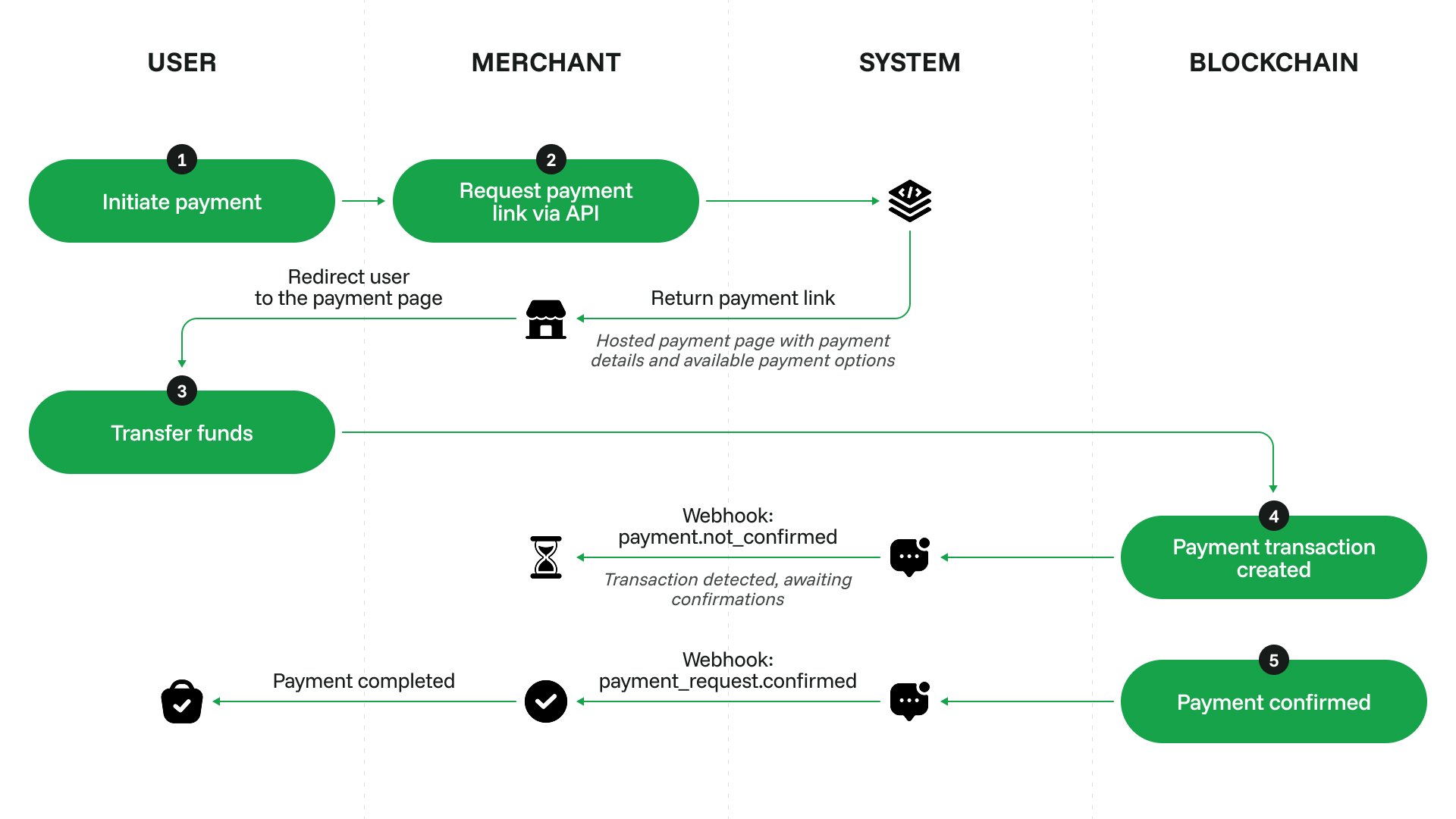
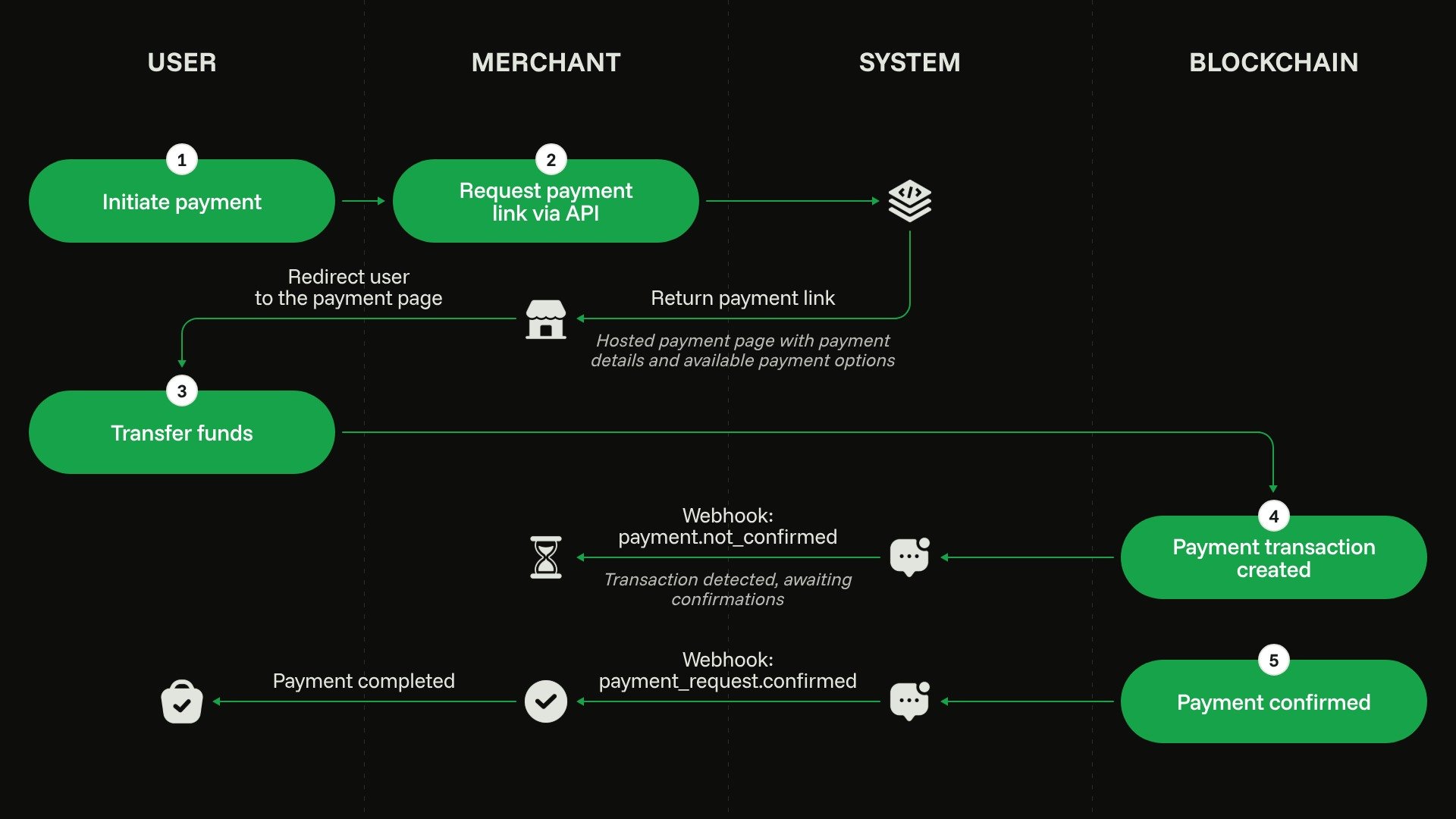
Configure your account and get an API key, see Initial setup.
2
Create a payment request
When the customer wants to make a new purchase, send a request to /payments/v1/requests. Specify the required amount, currency and lifespan for the payment request.
3
Let the customer navigate to the payment request interface
The URL of the interface is provided in the data.payment_link field of the API response. Depending on your payment flow, you can:
- navigate the customer to the payment request link in a new tab,
- generate a QR code based on the payment request link and display it to your customer,
- embed the payment link as an iFrame for quick on-page checkout.
4
Process the callback
When you get the payment_request callback, update the purchase status on your site.Make sure to cover all possible statuses of the callback. For a or payment request, consider showing a ‘Retry’ button that initiates a purchase of the same product again.For a payment request, you will see the requested amount as
payment_request_amount and the actual paid amount as currency_received. These values may differ if you allowed accepting underpayments within a tolerance. Be sure to use currency_received if you need to perform an action based on the actual payment, such as adding the funds to the customer’s balance.