

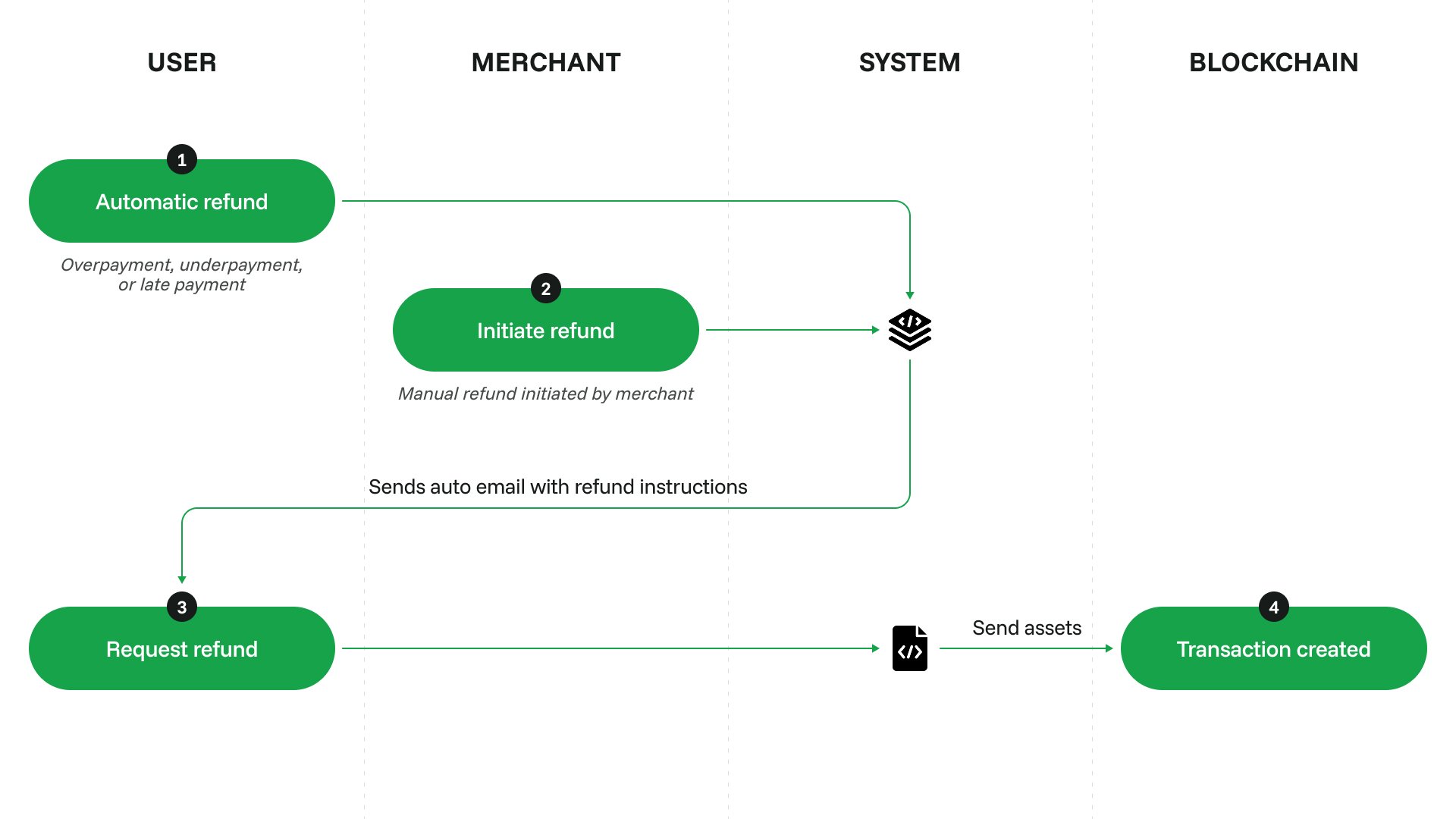
Automatic refunds
The mechanism is initiated automatically in the following scenarios: Late payment or underpayment The customer sent some funds but failed to fulfill the request conditions, see Configure underpayment handling. All funds (minus a fee) will be sent back to the customer via an automatic full refund. Overpayment The customer sent more funds than needed for this request. The extra funds (minus a fee) will be sent back to the customer via an automatic partial refund.Manual refunds
Additionally, you can always initiate a manual refund to sent back any part of the payment (up to the whole payment amount) back to the customer for arbitrary reasons. The refund is always sent in the same cryptocurrency and on the same network as the payment done by the customer, regardless of the originally expected cryptocurrency. You decided that some or all funds should be sent back to the customer. The reasons here are completely up to you. For example, if the customer canceled a subscription on your website in the middle of a month, you may want to return half of the payment to them. To initiate a manual refund, click Actions → Create refund on the payment request’s details page. In a form that appears, you can specify the amount of funds to send back (not higher than the amount received).How it works
1
The customer receives a link to the refund form via the email address they provided before the payment. You can resend the email if necessary.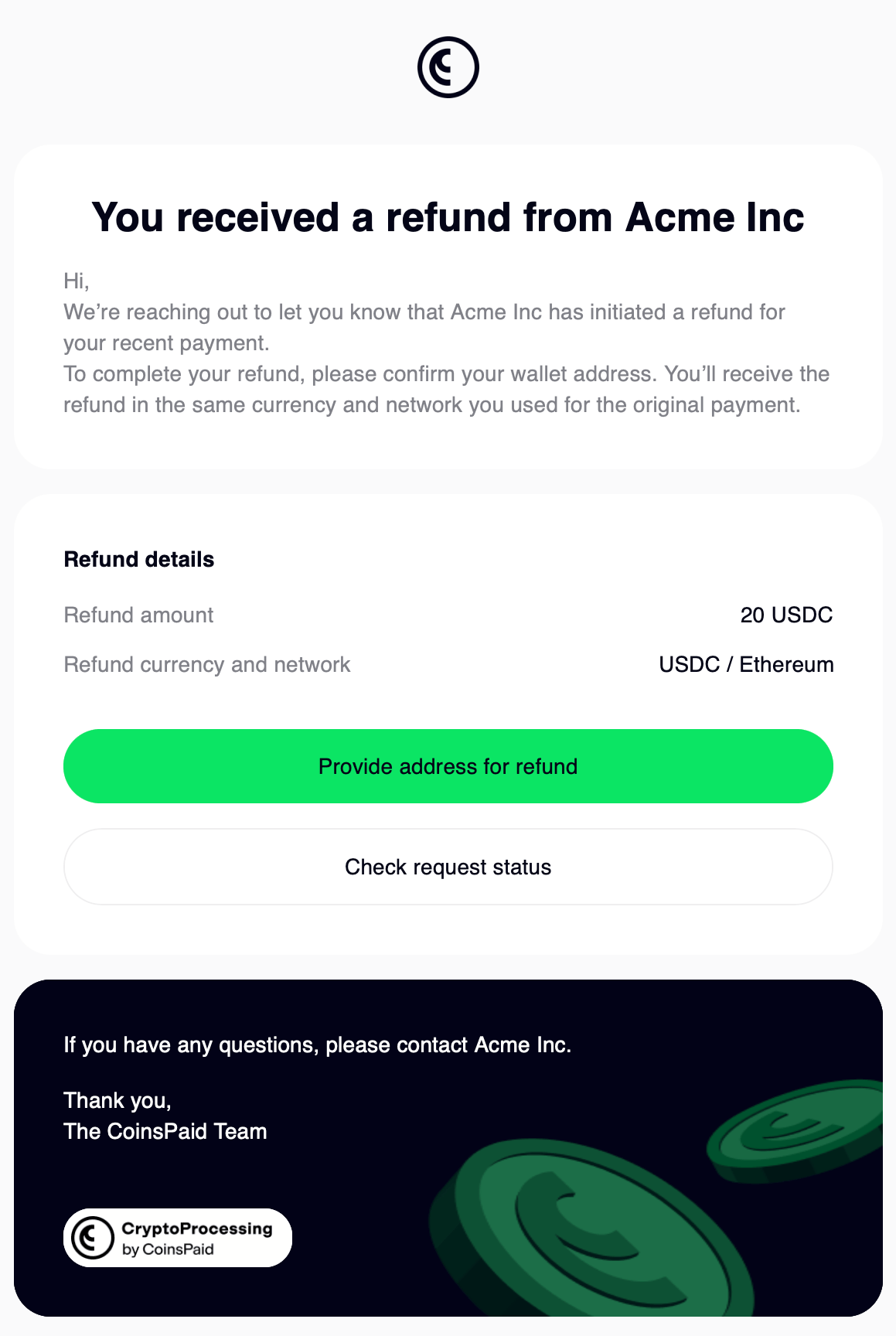
2
In the refund form, the customer enters a crypto address for receiving the refund.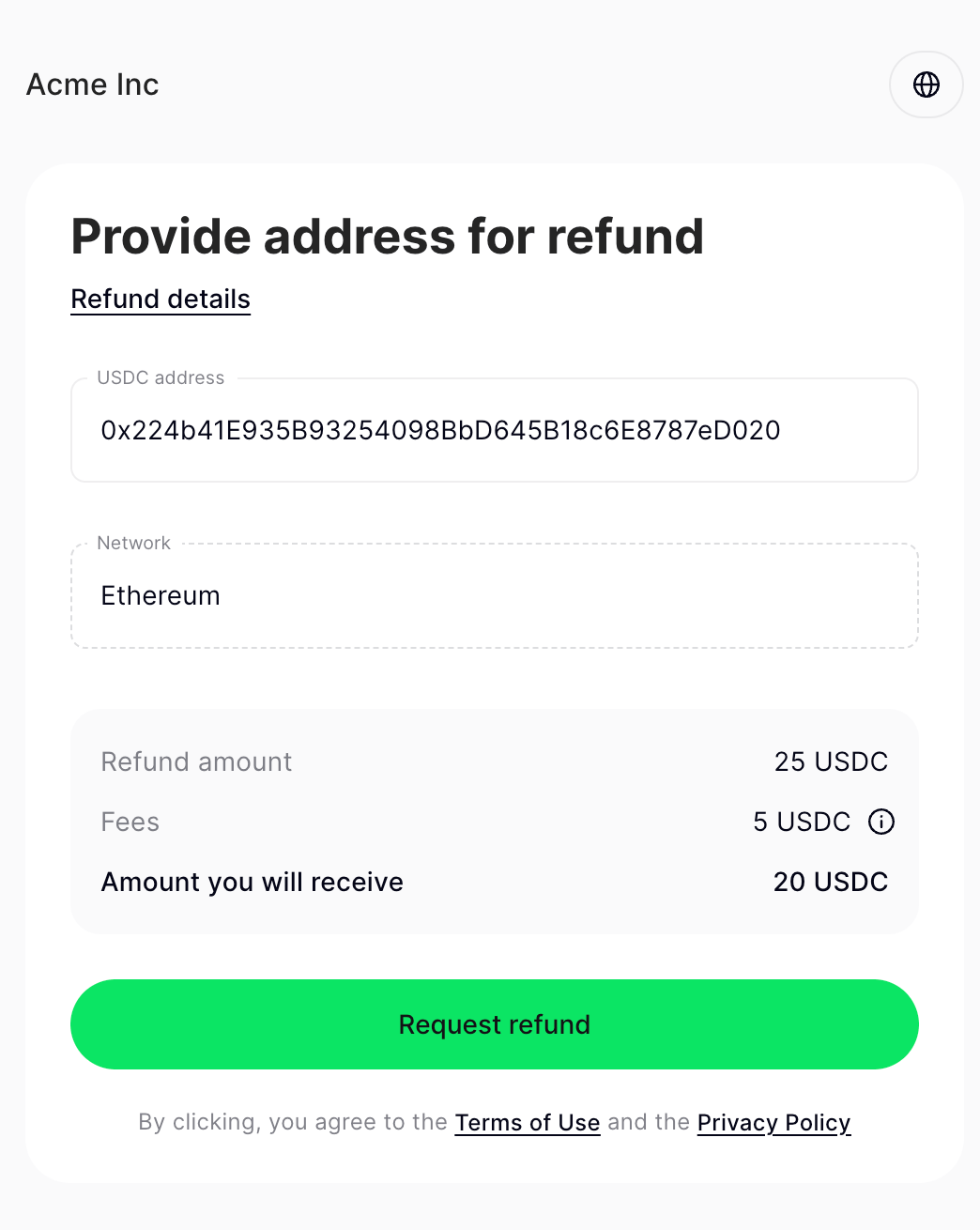
3
CryptoProcessing sends funds to the address.The refund process uses the same cryptocurrency and network as the actual payment. For example, if the original payment was in BTC with conversion to USDC, CryptoProcessing will convert USDC back to BTC for the refund.You can track the refund status on the Payment requests → Refunds tab, as well as on the specific payment request’s Refunds tab.