

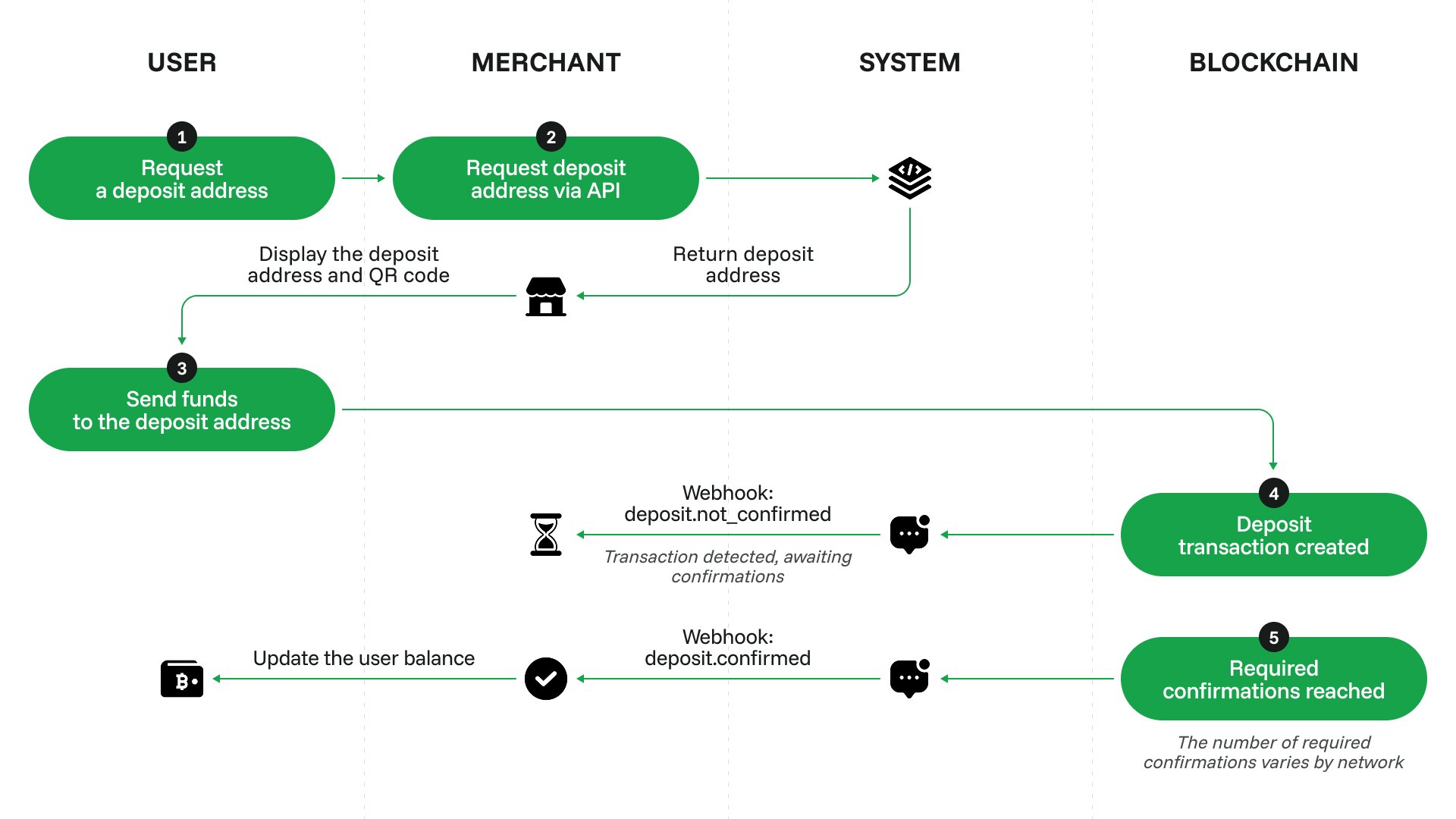
Set up crypto deposits
1
Complete your onboarding
Configure your account and get an API key, see Initial setup.
2
Request and receive a unique deposit address
Send a request to /v2/addresses/take and get a crypto deposit address. You can reuse an address if the same customer is making another deposit in the same currency. We recommend using one address for each user.
3
Display the address to the customer
Your customer will see their deposit address in your payment form.
4
Process the deposit
Once your customer makes the deposit, CryptoProcessing will send you a deposit callback. Find the customer by the callback’s
crypto_address.foreign_id, the foreign_id you sent to /v2/addresses/take, and update their balance on your site.