

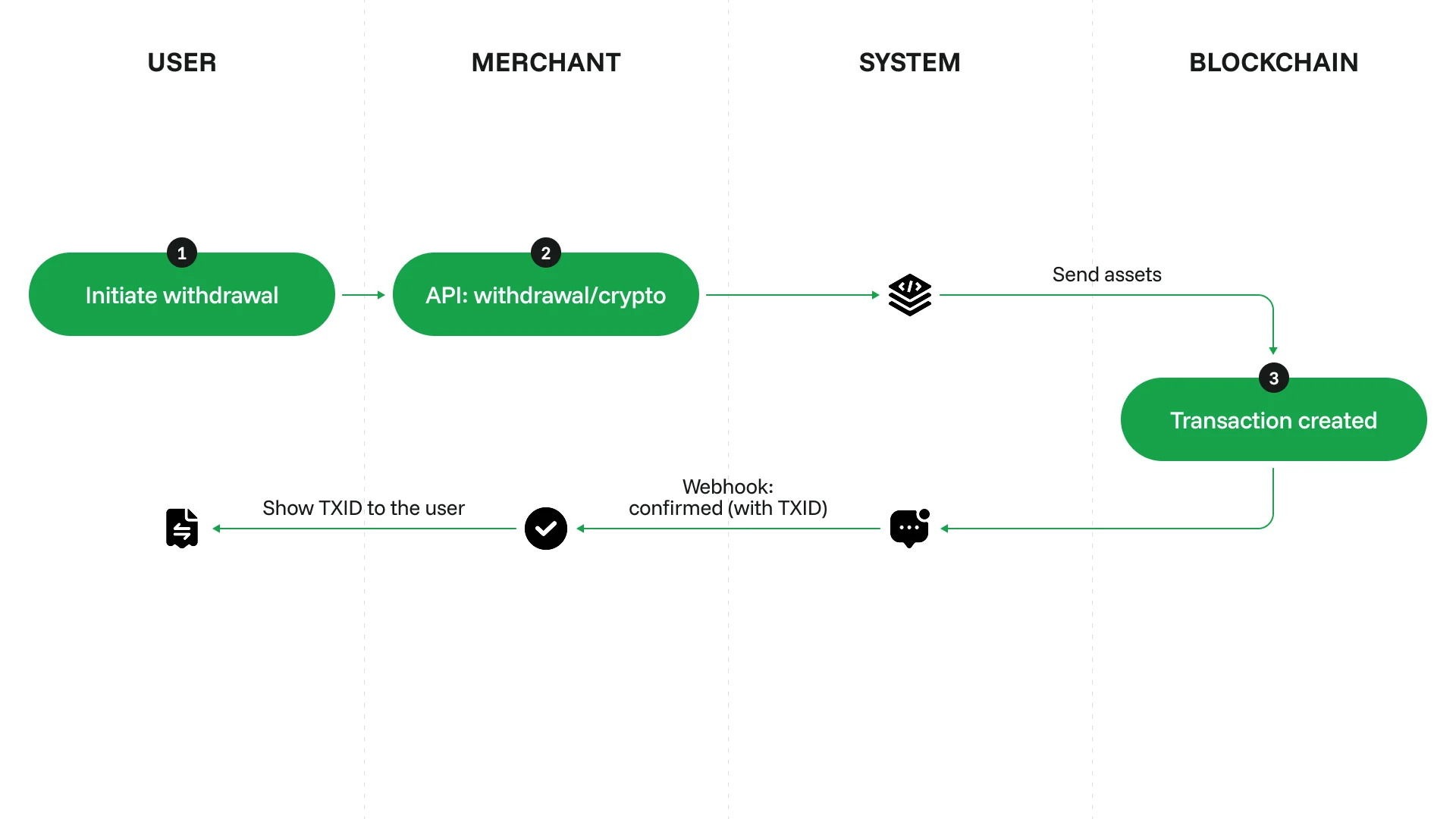
Set up withdrawals
1
Complete your onboarding
Configure your account and get an API key, see Initial setup.
2
Design a withdrawal form
Add a withdrawal form to your site. For our recommendations on how to design the form, see Design a withdrawal form.
3
Request a withdrawal
Send a request to /v2/withdrawal/crypto. To request a withdrawal with exchange, include the
convert_to parameter.You will also need to include these required parameters:foreign_idis the unique ID of the withdrawal request. You can use any format you prefer.end_user_referenceis the customer’s unique ID. CryptoProcessing uses it to group withdrawal requests made by each customer. It must not contain any identifying information, such as the customer’s name.
4
Process the callback
Once the withdrawal is processed, CryptoProcessing will send you a callback.