

Set up payment requests
Complete your onboarding
Complete your onboarding in your merchant dashboard and generate an API key. For more details on how to create an API key, see Get your API key.
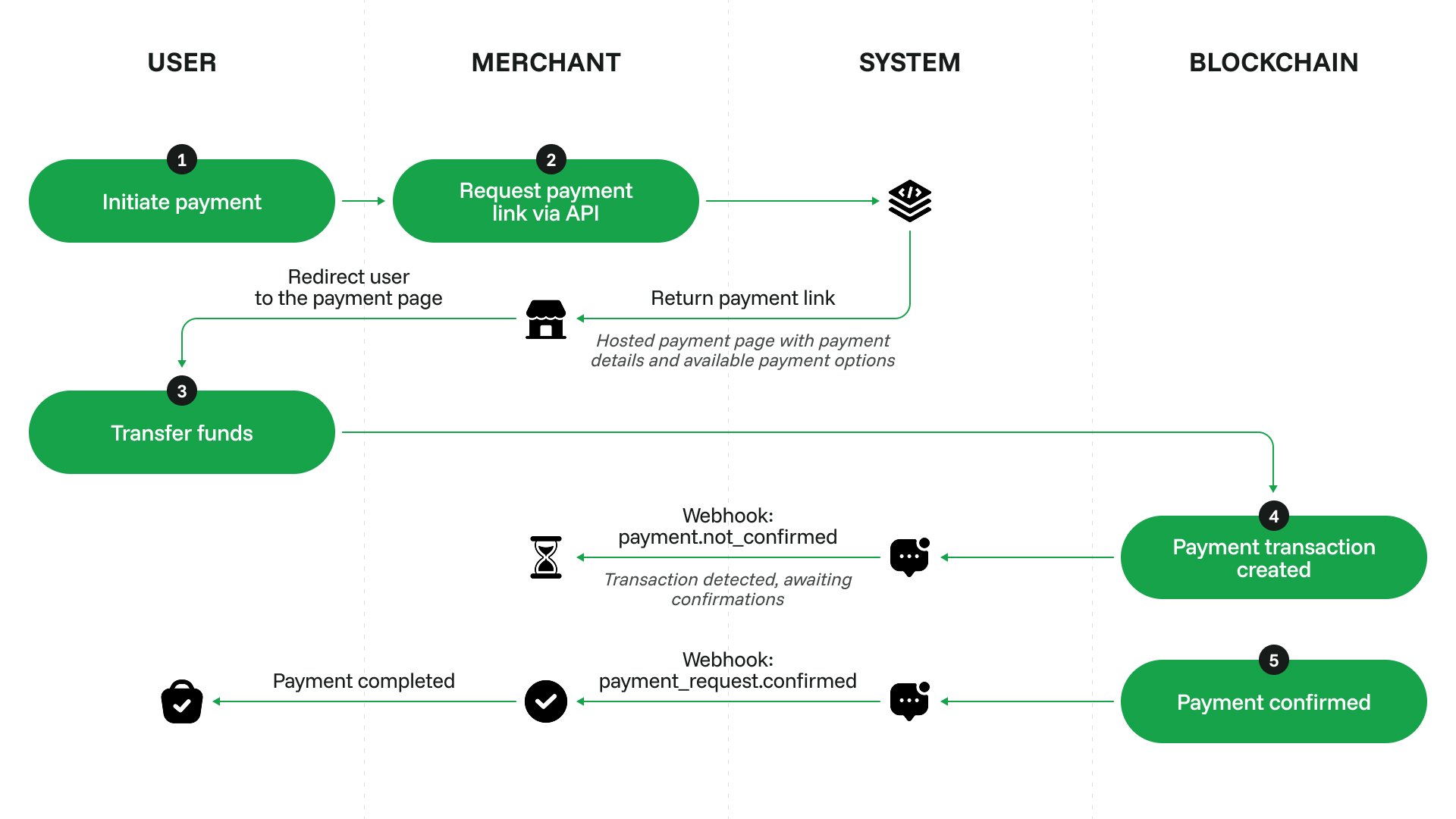
Create a payment request
When the customer wants to make a new purchase, send a request to
/payments/v1/requests. Specify the required amount, currency and lifespan for the payment request.Request example
Response example
Redirect the user to the payment request interface
The URL of the interface is provided in the
data.payment_link field of the API response.For the customer’s convenience, we recommend providing a link to the pending payment request somewhere on your site, too. This way, if the customer accidentally closes the payment request tab before finishing the payment, they will use the link to continue the process.Process the callback
When you get the payment_request callback, update the purchase status on your site.Make sure to cover all possible statuses of the callback. For a failed payment request, consider showing a ‘Retry’ button that initiates a purchase of the same product again.