

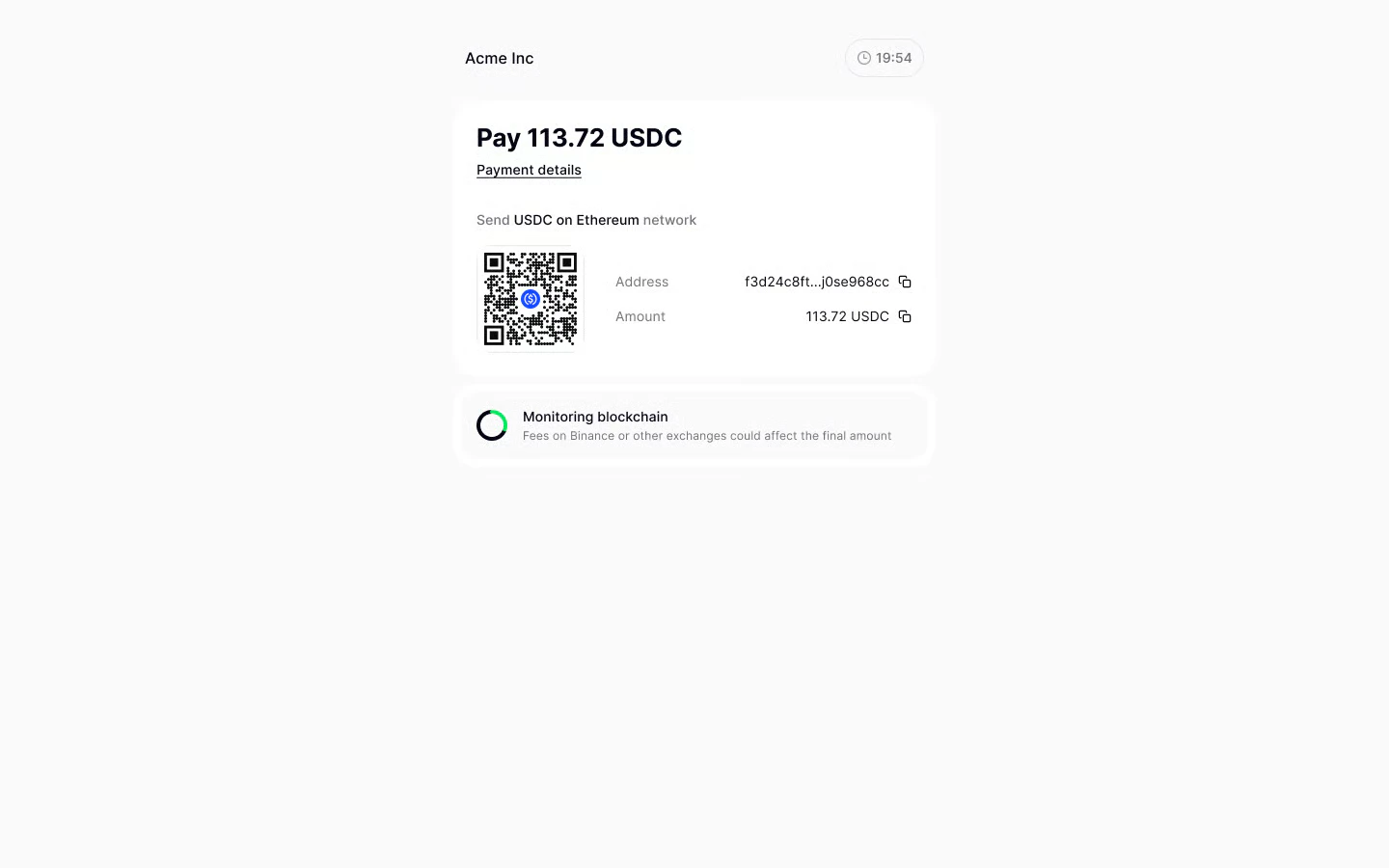
Late payments, overpayments and underpayments
If your customer underpays the payment request or pays too late, they will receive a full refund (minus the fees). You can create a new payment request for this customer. If they overpay, they will be able to request a partial refund for the overpaid amount, and the payment request will still be considered completed. CryptoProcessing will send the refund link to the email they provided when paying. You can also issue refunds for successfully completed payment requests from your merchant dashboard. For more details, see Refunds.Payment requests with short and long lifespans
You can set a custom payment lifespan or a deadline for your payment request. CryptoProcessing will lock the exchange rate once the customer chooses their preferred payment currency, which protects you from market fluctuations.Short lifespan (under an hour)
If your pricing is volatile and you want to incentivise the customer to pay faster
Long lifespan
If your pricing is stable and you want to give the customer a longer window to pay
What your customers will see
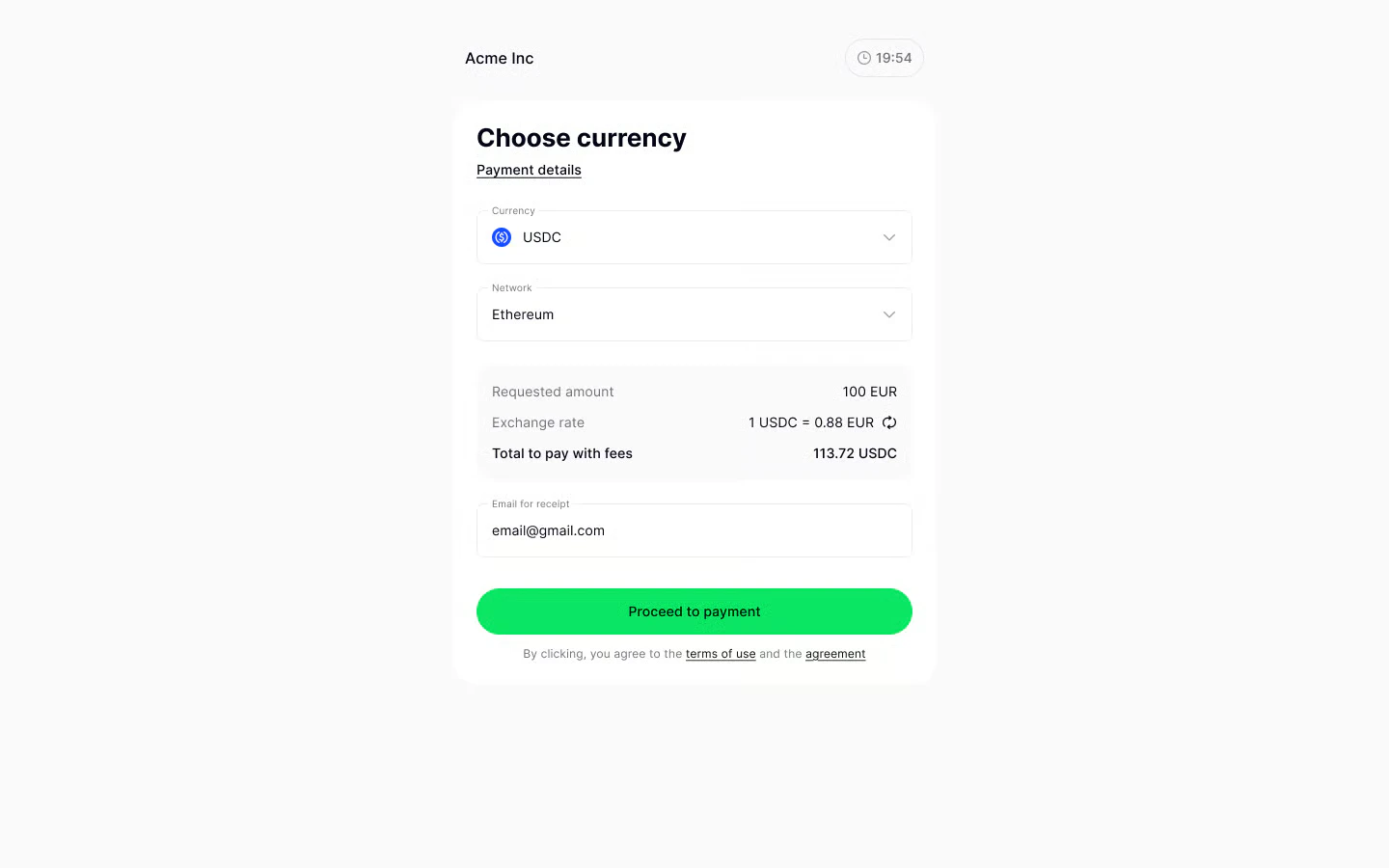
Short lifespan (under an hour)
Your customer will see the countdown timer right away as they open the payment link. The exchange rate will be locked once they choose their preferred currency and proceed to payment.
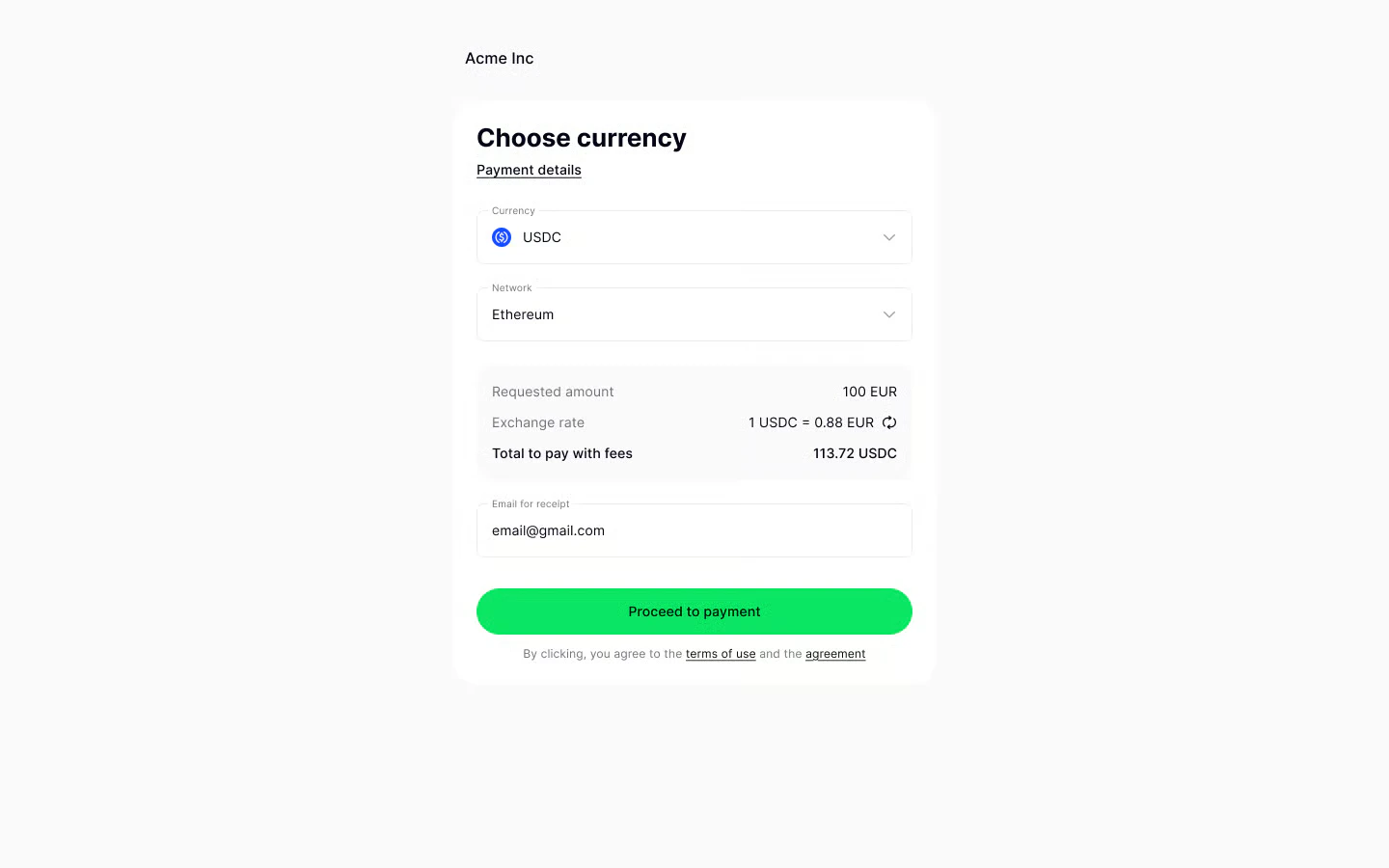
Long lifespan
Your customer will not see the countdown timer (1 hour) until they choose their preferred currency and proceed to payment. The exchange rate will also not be locked until then.
Payment requests with and without currency selection
By default, CryptoProcessing will always convert your customer’s payment to your preferred currency. For example, if you create a payment request for €100, your customer will be able to pay in any cryptocurrency of their choice. CryptoProcessing will automatically convert their deposit to EUR and send it to you. This way, you are always guaranteed to receive the amount you requested in your preferred currency while also offering your customers flexible payment options. Alternatively, you can choose a set currency (and/or network) your customer will be able to pay in. To do so, use thepayment_currency API parameter. We recommend only doing this if your customer has already chosen their preferred currency somewhere in your app.
With currency selection
Your customers pay in their preferred cryptocurrency. CryptoProcessing converts their deposit to the currency you chose when you created the payment request
With a preselected currency
You can set a specific cryptocurrency (and/or network) your customer will have to pay in
payment_currency object when you create the payment request. This option is only available if you create the payment request through the API. You can preselect either both the currency and network or just the currency. For more details, see Create a payment request through the API.
About customising your payment request
Use these parameters to customise the payment request form:| Parameter | Description | Recommended value |
|---|---|---|
life_time_duration and life_time_date_time (required) | Your payment request’s lifespan (expiration timeframe). | We recommend setting the lifespan to at least 15 minutes. For currencies on networks with higher confirmation times (such as BTC), consider setting the lifespan to at least an hour. |
currency (required) | The currency you want to receive and your preferred network (for cryptocurrencies). Your customer will be able to pay in any currency. CryptoProcessing will convert their deposit to the currency you want to receive automatically. | Include both the currency ISO and network name for cryptocurrencies. For the list of all available networks, see About currency codes. |
payment_currency (optional) | You can set just one currency (or currency and network) your customer will be able to pay in. | To improve your customers’ payment experience, we only recommend using this parameter if your customer chooses their preferred currency (and/or network) in your app. |
url_store, url_success, url_failed (optional) | Return button on the payment form. Your customer will be able to go back to the checkout page before they place the payment (url_store), if their payment was successful (url_success) and if their payment failed (url_failed). | We recommend including all three parameters. |
Lifespan length
To set the length of your payment request’s lifespan, use thelife_time_duration and life_time_date_time parameters.
We recommend setting the lifespan length to at least 15 minutes. If your customers can pay in Bitcoin (BTC) or other currencies on networks with longer confirmation times, we suggest setting the lifetime to 60 minutes. This ensures your customers will have enough time to place the payment and have their transaction confirmed before the payment request expires.
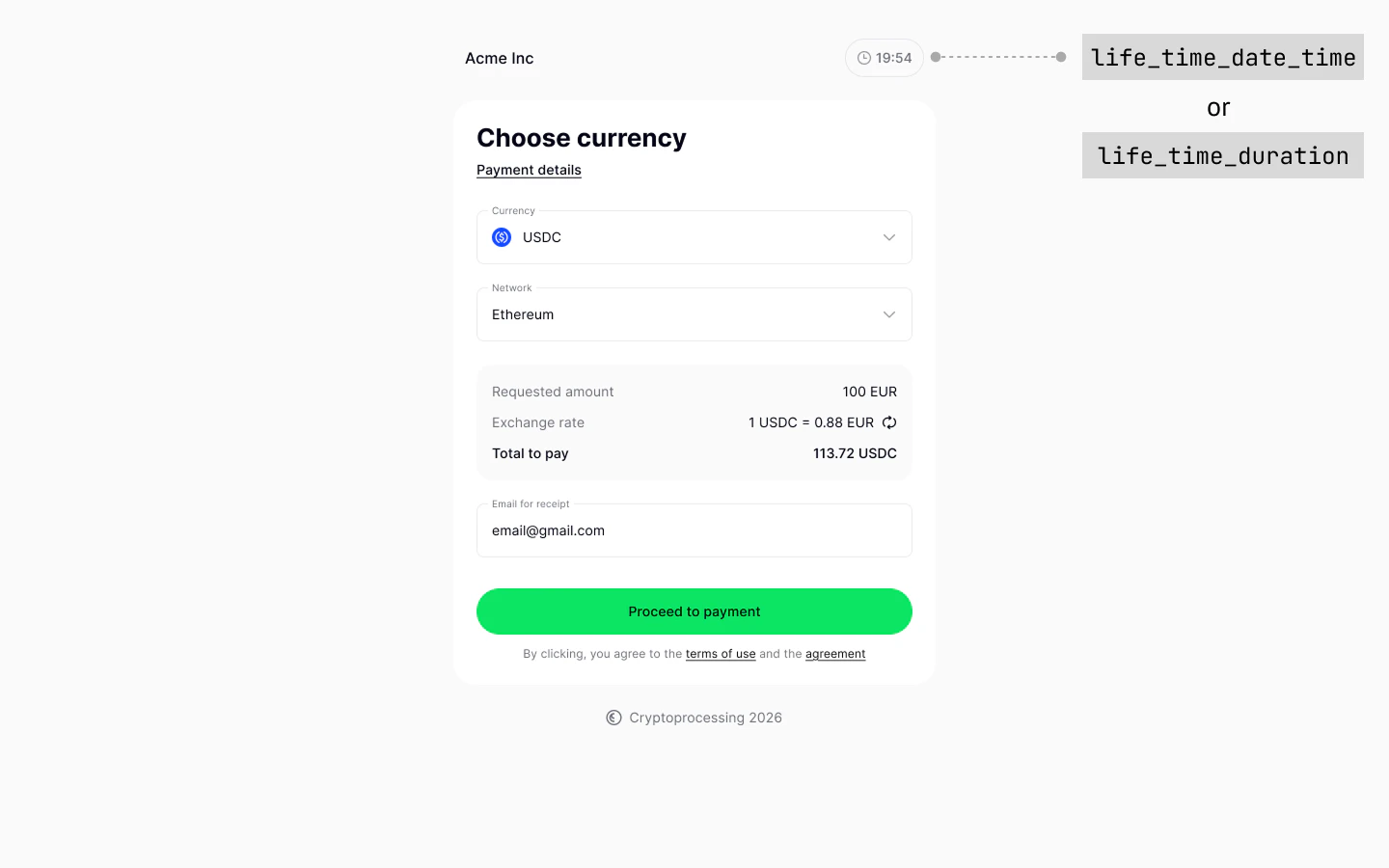
Return buttons
You can include theurl_store, url_success and url_failed parameters to help your customers navigate back to your site at any stage.
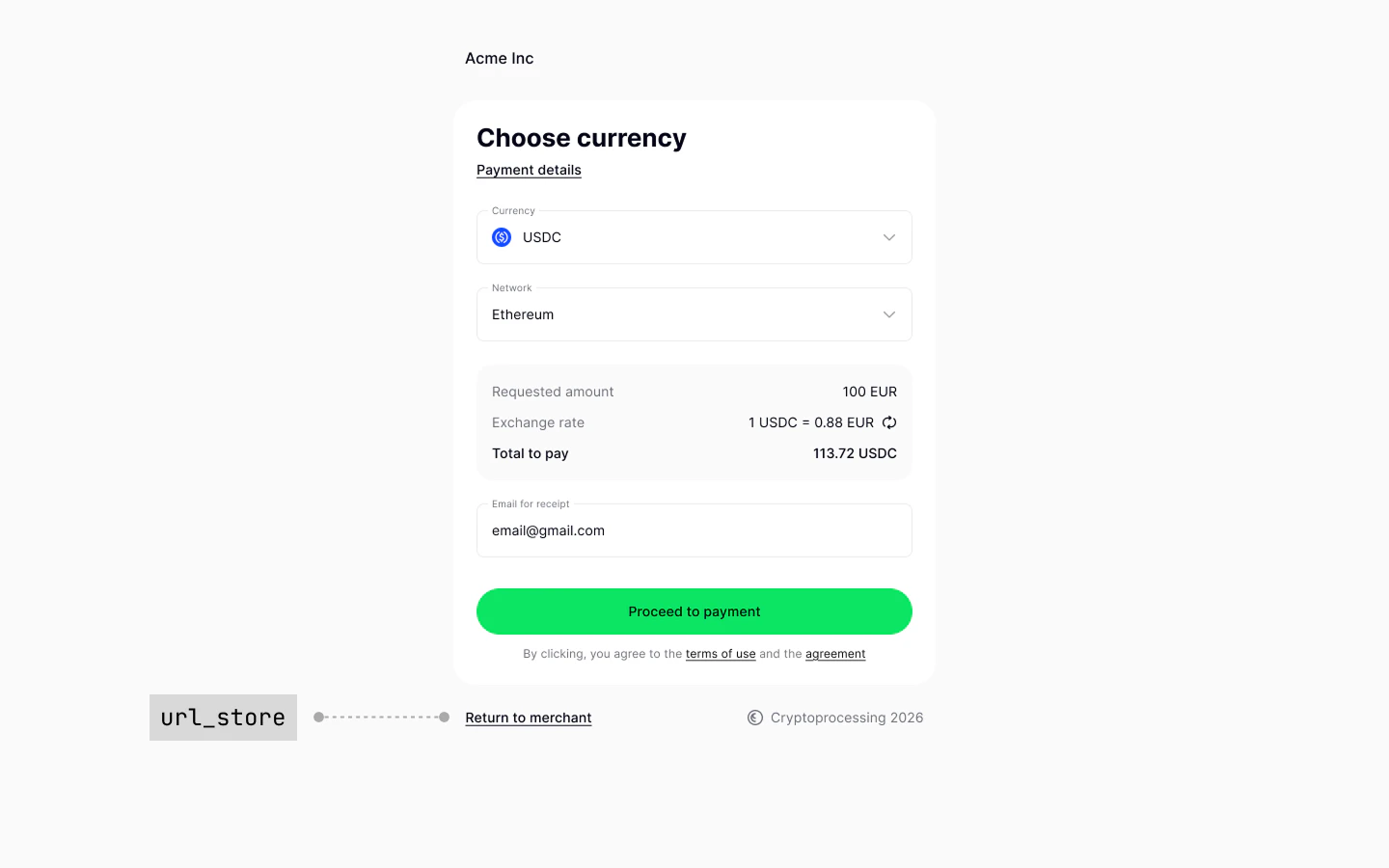
url_store
Your customers will be able to go back to your site before they place the payment (for example, in case they change their mind or want to choose a different payment method). We recommend directing them back to the checkout page.
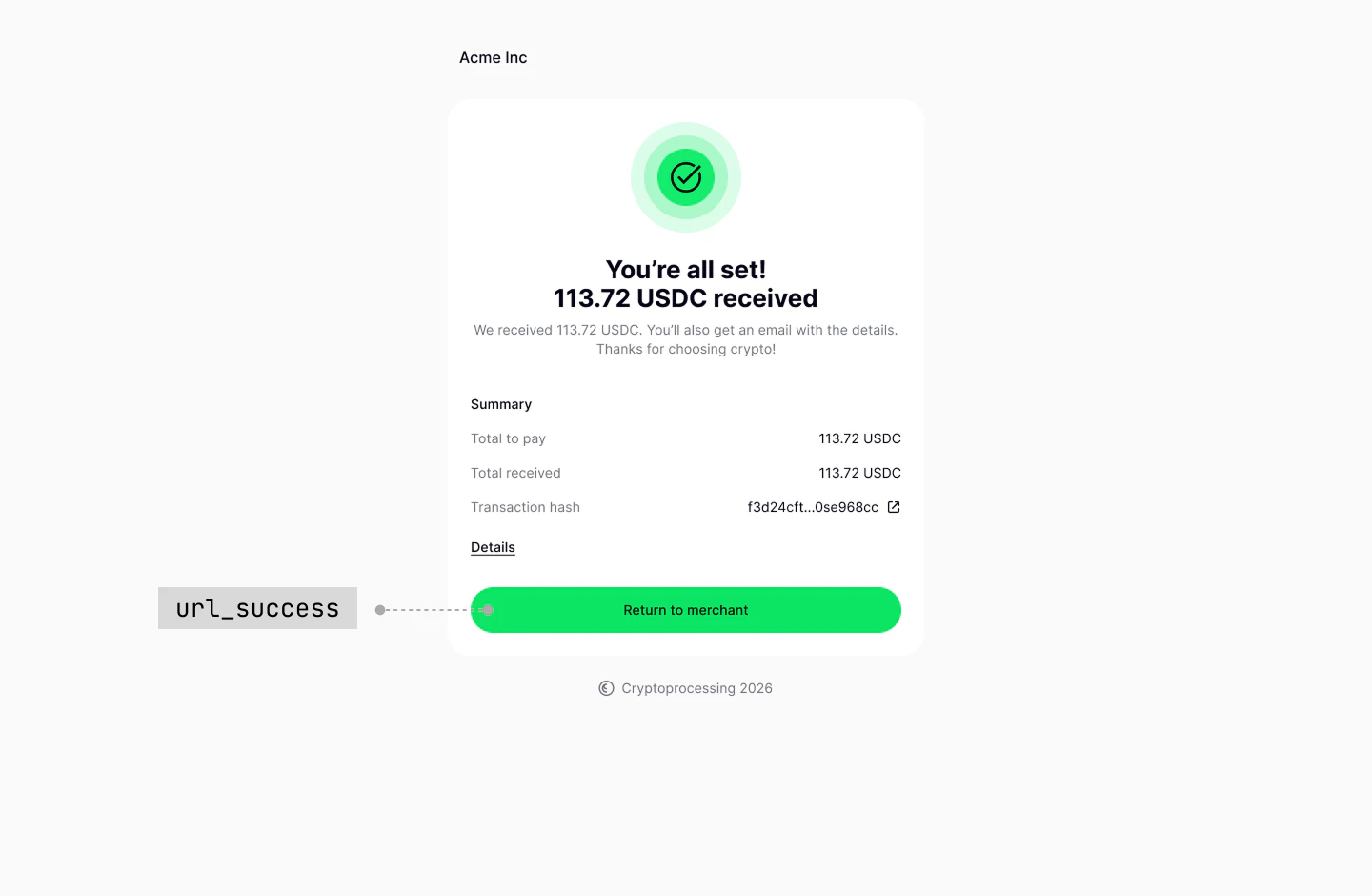
url_success
Your customers will return to this URL if their payment was successful
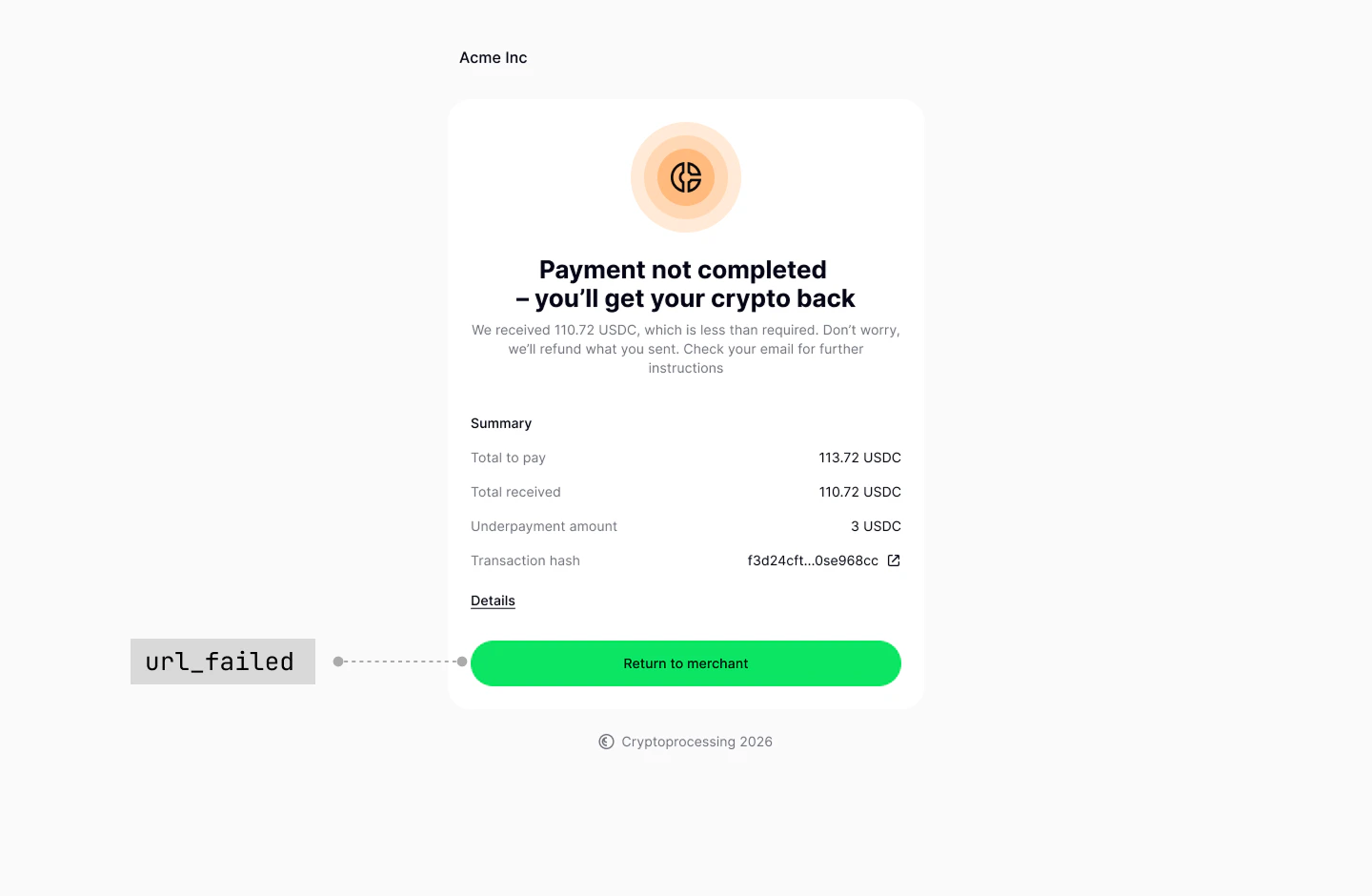
url_failed
Your customers will return to this URL if their payment failed