> ## Documentation Index
> Fetch the complete documentation index at: https://docs.cryptoprocessing.com/llms.txt
> Use this file to discover all available pages before exploring further.
# Track transactions and fees
## Transactions tab
The **Transactions** tab contains information on all transactions of your merchant account.
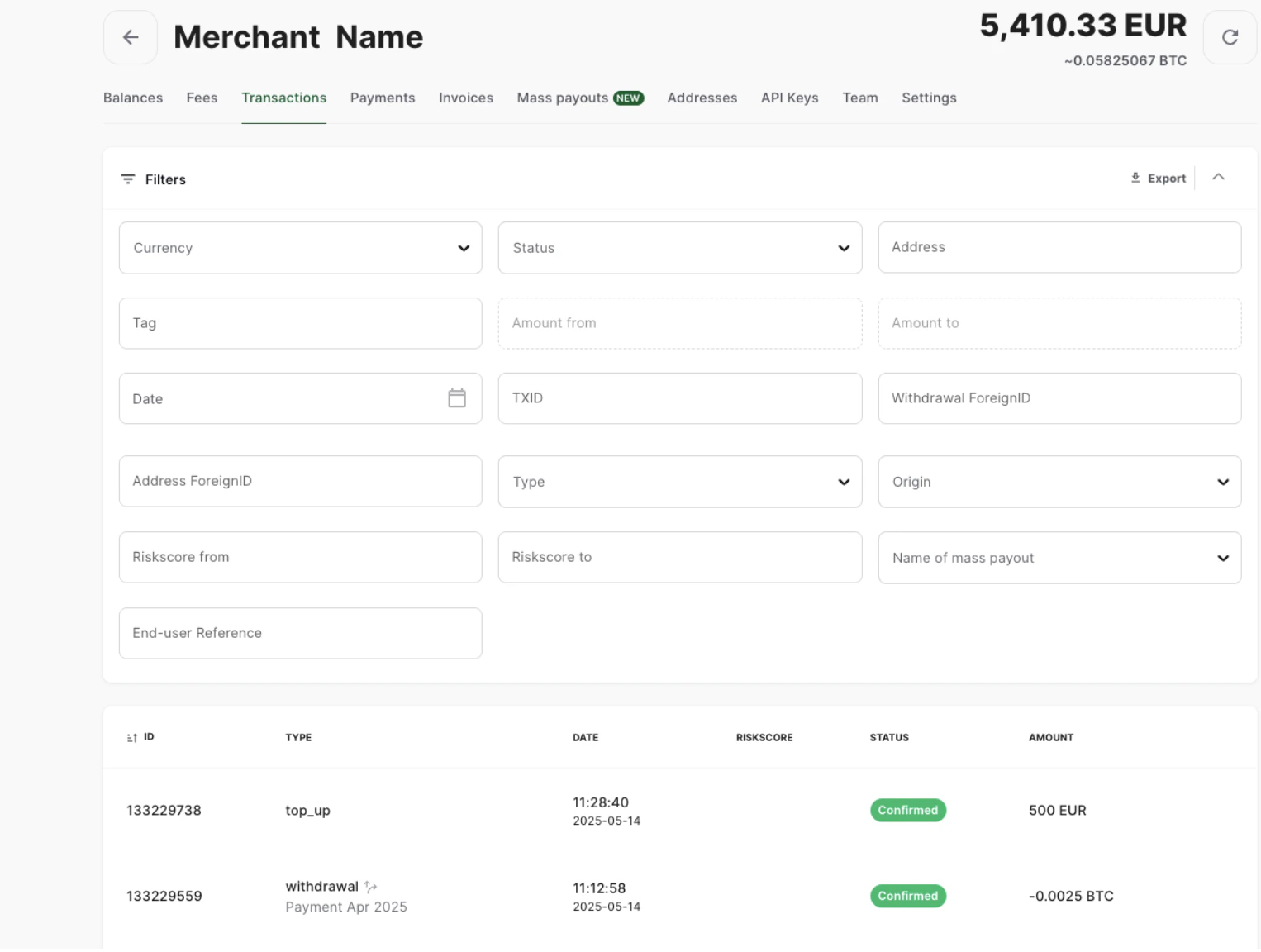 A wide range of filtering options for transactions is available, which can be useful if you need to filter the transactions by a given parameter: currency, time, status, etc. Also, you can export the list of transactions into a `.csv` file by clicking the **Export** button in the upper right corner of the **Filter** menu.
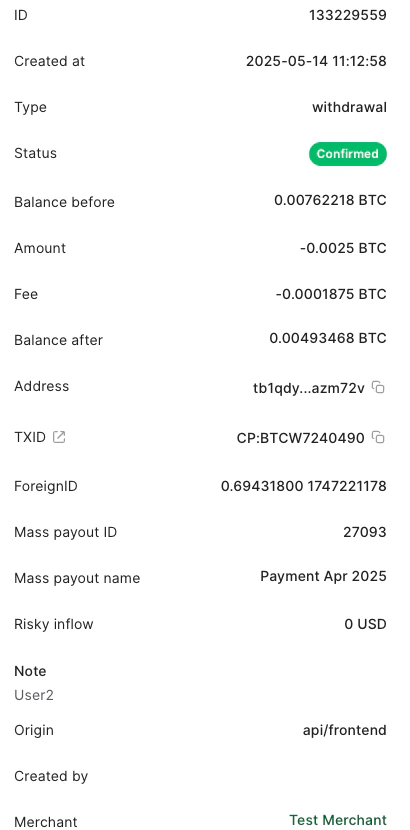
Click on a transaction to open the panel with more details about it. This includes its time of creation, your balances before and after the transaction, the addresses involved, etc. The exact set of properties varies depending on the type of the transaction. If the transaction is a part of a [mass payout](/getting-started/send-mass-payouts), the panel will also indicate its ID and name.
For deposits, withdrawals and invoices, the details panel also includes the **TXID** property (short for “Transaction ID”). Its meaning depends on whether the transaction is external or internal.
* An **external transaction** is a transaction between a CryptoProcessing user and an external address. For example, it may be a withdrawal from your balance to an external wallet. An external transaction takes place in the cryptocurrency's blockchain, where it can be found by its **TXID**. Click the icon next to the “TXID” label to open the transaction details in a public blockchain explorer.
* An **internal transaction** is a transaction between two CryptoProcessing users. For example, if your company has multiple merchants registered at CryptoProcessing, sending funds between them will be done instantly as an internal transaction. Such a transaction does not get sent to the public blockchain, thus avoiding the mining fee. The **TXID** property displays a unique identifier of the transaction within CryptoProcessing.
A wide range of filtering options for transactions is available, which can be useful if you need to filter the transactions by a given parameter: currency, time, status, etc. Also, you can export the list of transactions into a `.csv` file by clicking the **Export** button in the upper right corner of the **Filter** menu.
Click on a transaction to open the panel with more details about it. This includes its time of creation, your balances before and after the transaction, the addresses involved, etc. The exact set of properties varies depending on the type of the transaction. If the transaction is a part of a [mass payout](/getting-started/send-mass-payouts), the panel will also indicate its ID and name.
For deposits, withdrawals and invoices, the details panel also includes the **TXID** property (short for “Transaction ID”). Its meaning depends on whether the transaction is external or internal.
* An **external transaction** is a transaction between a CryptoProcessing user and an external address. For example, it may be a withdrawal from your balance to an external wallet. An external transaction takes place in the cryptocurrency's blockchain, where it can be found by its **TXID**. Click the icon next to the “TXID” label to open the transaction details in a public blockchain explorer.
* An **internal transaction** is a transaction between two CryptoProcessing users. For example, if your company has multiple merchants registered at CryptoProcessing, sending funds between them will be done instantly as an internal transaction. Such a transaction does not get sent to the public blockchain, thus avoiding the mining fee. The **TXID** property displays a unique identifier of the transaction within CryptoProcessing.
 ### Risk scoring
**Note**: The risk score is included for informational purposes only. CoinsPaid does not claim any responsibility for any actions or decisions made based on the provided risk score.
In cryptocurrencies, it is often possible to analyze whether the funds used in the new transaction have participated in any suspicious transactions in the past.
CryptoProcessing by CoinsPaid makes such an analysis for BTC, BCH, ETH, and LTC, providing two parameters for incoming transactions: **Risky inflow** and **Risk score**.
* **Risky inflow** is the amount of funds (in USD equivalent) that have originated from transactions that can be considered suspicious.
* **Risk score** is the percentage of suspicious inputs or addresses among their total number.
The parameters are available in the **Transactions** and **Invoices** tabs.
It is recommended to manually inspect the transactions with a risk score of about 75% or higher.
### Callbacks
You can always go to our back-office interface and get all the information about any specific callback in the **Transaction info** section, including timings, the number of attempts to send the callback, the format of the response, and so on.
If you have technical issues with your callback handler or a long maintenance period, there is a button in the **Transaction info** section to reset the callback sending queue. Using this function, you can resend the callback immediately.
## Payments tab
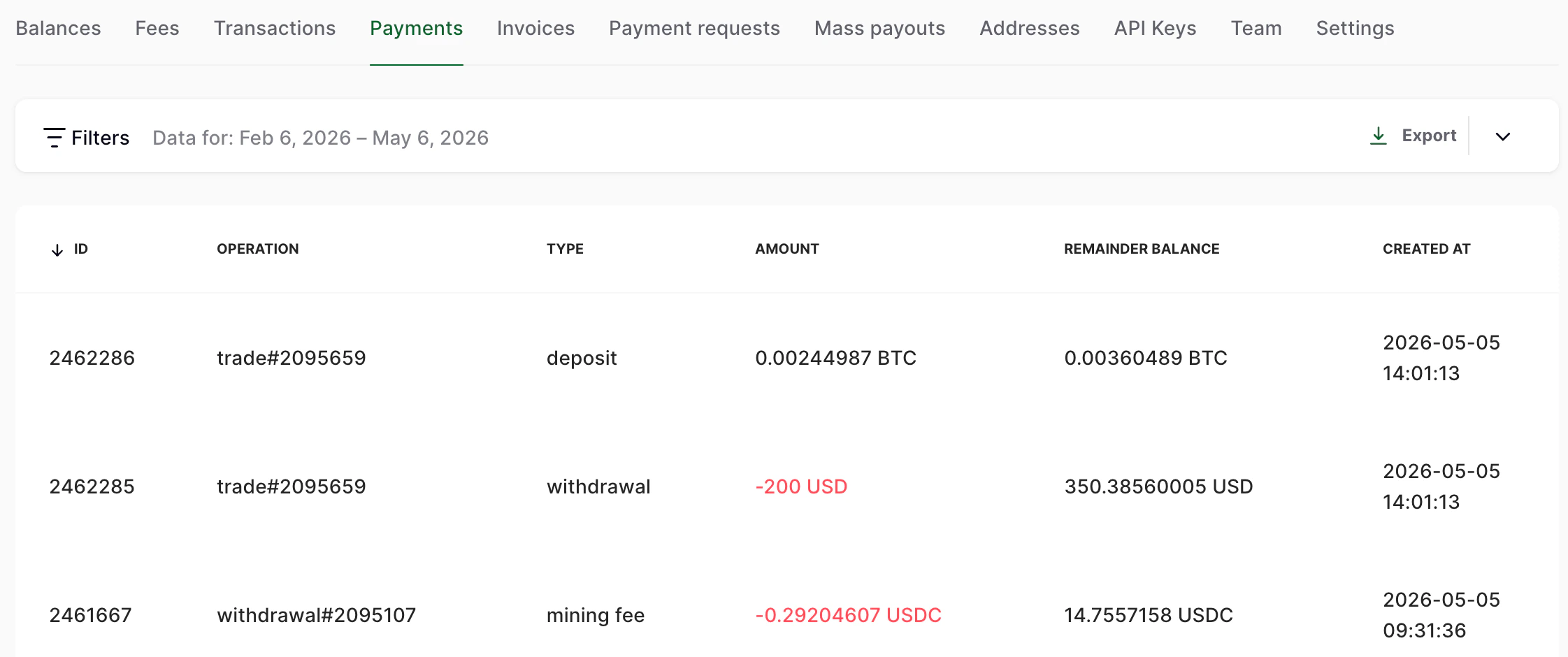
The **Payments** tab also allows you to keep track of all transactions within your merchant account, and in addition, contains information on our processing fees applied to these transactions and the remainder of your funds after each transaction.
### Risk scoring
**Note**: The risk score is included for informational purposes only. CoinsPaid does not claim any responsibility for any actions or decisions made based on the provided risk score.
In cryptocurrencies, it is often possible to analyze whether the funds used in the new transaction have participated in any suspicious transactions in the past.
CryptoProcessing by CoinsPaid makes such an analysis for BTC, BCH, ETH, and LTC, providing two parameters for incoming transactions: **Risky inflow** and **Risk score**.
* **Risky inflow** is the amount of funds (in USD equivalent) that have originated from transactions that can be considered suspicious.
* **Risk score** is the percentage of suspicious inputs or addresses among their total number.
The parameters are available in the **Transactions** and **Invoices** tabs.
It is recommended to manually inspect the transactions with a risk score of about 75% or higher.
### Callbacks
You can always go to our back-office interface and get all the information about any specific callback in the **Transaction info** section, including timings, the number of attempts to send the callback, the format of the response, and so on.
If you have technical issues with your callback handler or a long maintenance period, there is a button in the **Transaction info** section to reset the callback sending queue. Using this function, you can resend the callback immediately.
## Payments tab
The **Payments** tab also allows you to keep track of all transactions within your merchant account, and in addition, contains information on our processing fees applied to these transactions and the remainder of your funds after each transaction.
 ## Fees tab
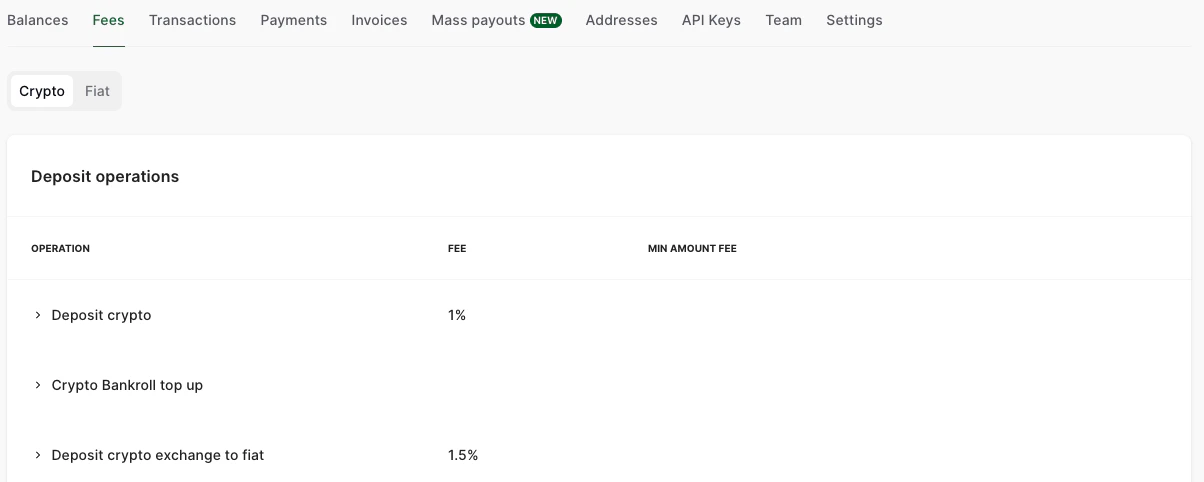
On the **Fees** tab, you can check the processing fees for different types of operations.
## Fees tab
On the **Fees** tab, you can check the processing fees for different types of operations.
 If you have any questions regarding the set fees or would like to discuss this matter further, please email us at [get@cryptoprocessing.com](mailto:get@cryptoprocessing.com) or contact your sales manager.