> ## Documentation Index
> Fetch the complete documentation index at: https://docs.cryptoprocessing.com/llms.txt
> Use this file to discover all available pages before exploring further.
# Top up and withdraw from your fiat balance
## Add a bank account
Before you can make withdrawals from your fiat balances, you need to add a bank account.
1. In your merchant dashboard, go to the **Settings** tab.
2. Go to the **Bank accounts** tab.
3. Click **Add Bank Account**.
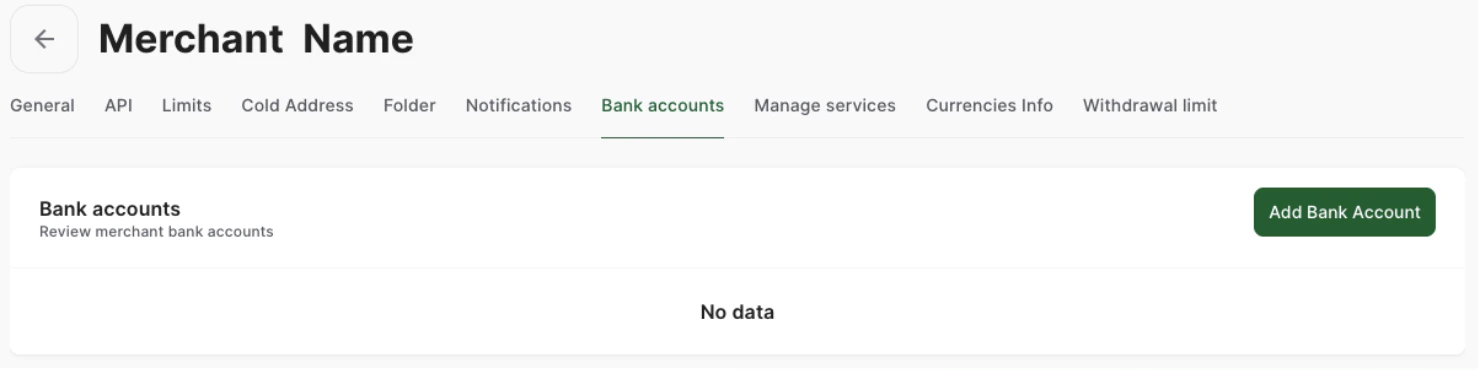 4. You will be prompted for your bank account details. Fill out the form and click **Submit**.
Once you submit the form, Cryptoprocessing will review your bank account details. This usually takes 24 to 48 hours. If necessary, our compliance team may request additional documents through your account manager.
When your account is verified, you will be able to use it to withdraw your fiat funds from your merchant account. At the moment fiat transactions in EUR are available.
## Withdraw from your fiat balance
To withdraw in fiat:
1. In the **Balances** tab of your merchant dashboard, switch to Fiat currencies.
2. Select a fiat currency.
3. Click **Withdrawal**.
4. Select your bank account and enter the amount you want to withdraw.
4. You will be prompted for your bank account details. Fill out the form and click **Submit**.
Once you submit the form, Cryptoprocessing will review your bank account details. This usually takes 24 to 48 hours. If necessary, our compliance team may request additional documents through your account manager.
When your account is verified, you will be able to use it to withdraw your fiat funds from your merchant account. At the moment fiat transactions in EUR are available.
## Withdraw from your fiat balance
To withdraw in fiat:
1. In the **Balances** tab of your merchant dashboard, switch to Fiat currencies.
2. Select a fiat currency.
3. Click **Withdrawal**.
4. Select your bank account and enter the amount you want to withdraw.
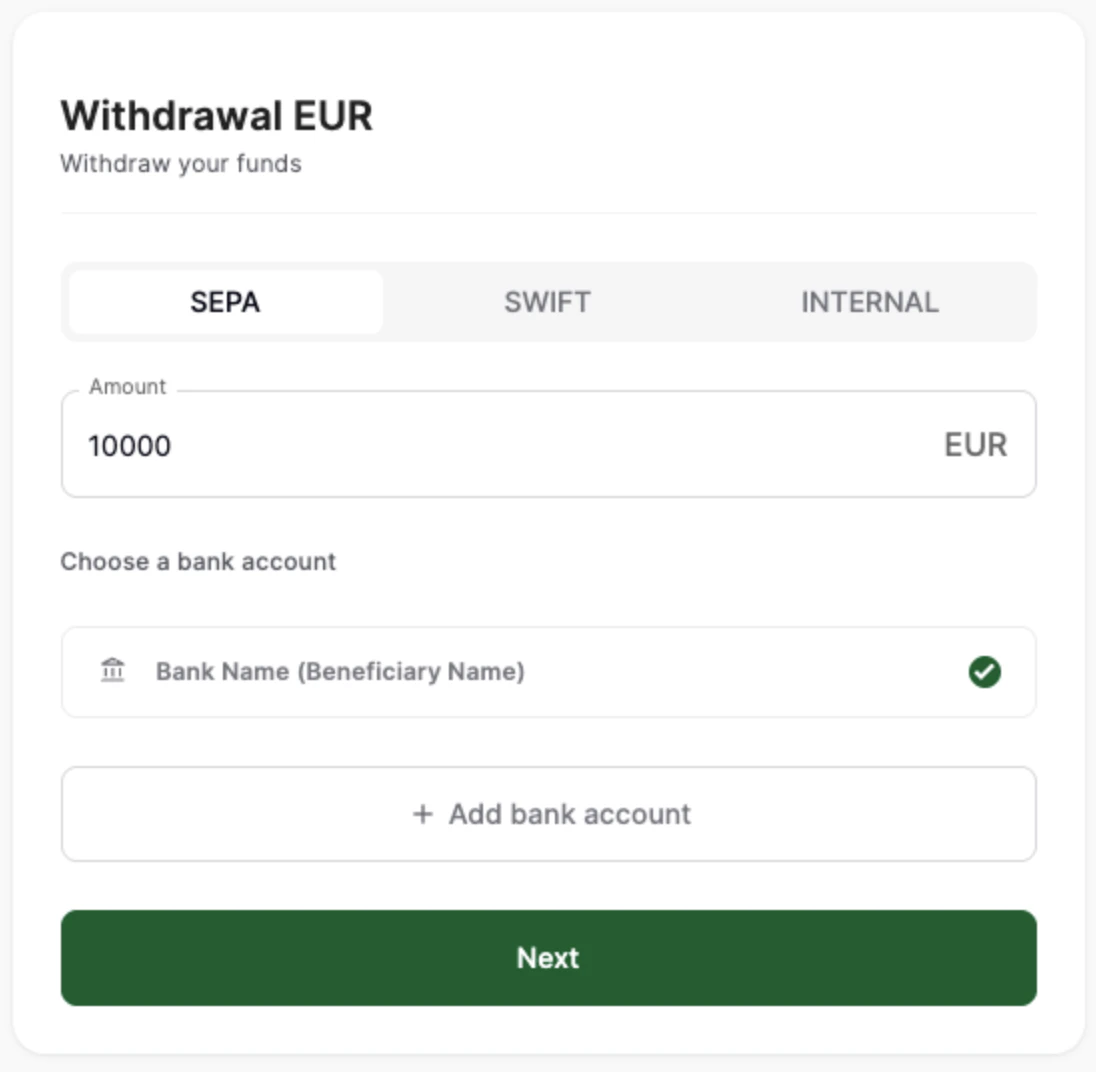 5. Enter your 2FA code and click **Submit** to submit your withdrawal request.
**Note**: Only you (the merchant) can operate fiat funds. Your customers will not be able to top up or withdraw from their fiat balances.
## Top up your fiat balance
To top up your fiat balance:
1. In the **Balances** tab of your merchant dashboard, switch to Fiat currencies.
2. Select a fiat currency.
3. Click **Top up**.
4. Select your payment method (SEPA, SWIFT or crypto) and enter the amount you want to top up your balance for. All crypto payments will be automatically converted to the fiat currency you chose, and you can send any amount.
5. Click **Next**.
For SEPA and SWIFT, you will see the bank details you need to send a transfer to in your bank app of choice. For crypto, you will see the crypto address you need to send a transaction to.
5. Enter your 2FA code and click **Submit** to submit your withdrawal request.
**Note**: Only you (the merchant) can operate fiat funds. Your customers will not be able to top up or withdraw from their fiat balances.
## Top up your fiat balance
To top up your fiat balance:
1. In the **Balances** tab of your merchant dashboard, switch to Fiat currencies.
2. Select a fiat currency.
3. Click **Top up**.
4. Select your payment method (SEPA, SWIFT or crypto) and enter the amount you want to top up your balance for. All crypto payments will be automatically converted to the fiat currency you chose, and you can send any amount.
5. Click **Next**.
For SEPA and SWIFT, you will see the bank details you need to send a transfer to in your bank app of choice. For crypto, you will see the crypto address you need to send a transaction to.
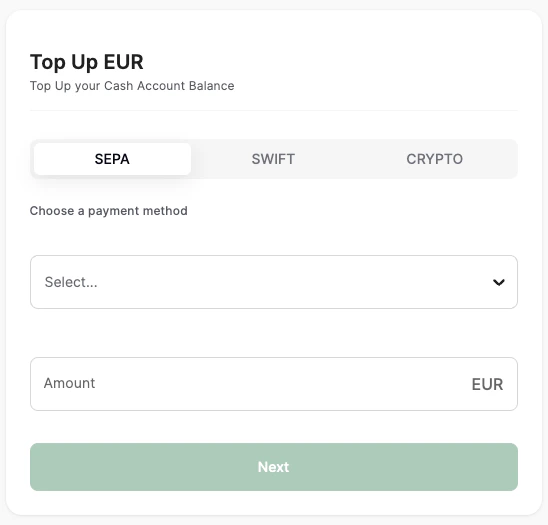 You will be able to check this pending transaction on the [Transaction](/getting-started/track-transactions-and-fees) tab.